
A while after getting my Xbox series X, I had to travel for the holidays. Naturally, I found myself wondering how my console would tag along.
This triggered my research on taking an Xbox onboard a flight. In today’s article, I’m sharing all the information I came across to answer all your questions regarding air travel with an Xbox.
So, can you bring an Xbox on a plane?
The answer is a definite yes. The TSA confirms it, allowing you to bring an Xbox and video game CDs/disks in your carry-on or checked bags.
Keep reading to find out more about TSA game console rules, whether you should choose to carry on or checked bags for an Xbox, whether you have to take out the Xbox at the checkpoint, and how to properly pack an Xbox for a plane ride.
What Are the TSA Rules for Xbox Consoles?
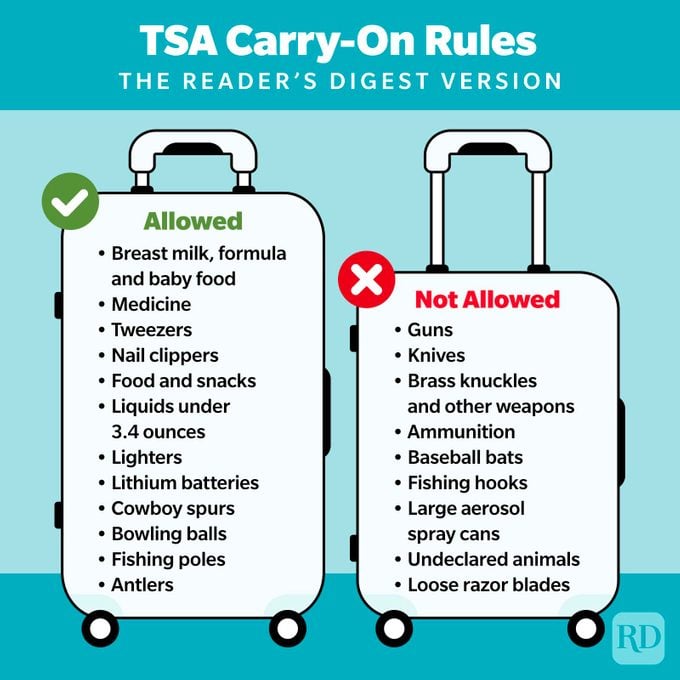
The TSA (Transportation Security Administration) allows passengers to bring their Xbox on board planes in their carry-on or checked bags.
Whether you’re carrying an Xbox 360, Xbox One, or Xbox Series X|S, you can take it with you on your next flight.
This goes in line with TSA’s regulations regarding consoles and electronics on a plane. Bringing an Xbox is pretty much the same as bringing a laptop on a plane.
Their website does disclose that the TSA officer has the final say on allowing an item through the checkpoint, but it generally should be acceptable.
Should You Pack Your Xbox in Carry on or Checked Baggage?

Now that you know you’re allowed to bring your Xbox on a plane without any hiccups, you should decide whether to pack it in your carry-on bag or your checked bag.
I -and every other gamer in the country- strongly recommend packing your Xbox in your carry-on bag. The TSA also advises passengers to pack their expensive, fragile electronics in their carry-on bags.
The reasons behind this are straightforward:
- The chances of mishandling are a lot bigger for checked bags than for carry-on bags. By using the latter, you’re protecting your Xbox from getting damaged.
- The chances of losing luggage are a lot bigger for checked bags than for carry-on bags. When using the latter, you get to keep your carry-on bag in the overhead compartment or underneath the seat in front of you.
That said, if you choose to pack your Xbox as a carry-on item, you should check with your airline before your flight to make sure that the dimensions of your console will fit in the overhead compartment or under the seat of the plane.
Is it a Must to Take Out the Xbox at the Security Checkpoint?
No, taking your Xbox out at the security checkpoint isn’t a must; it may or may not happen depending on the discretion of the security officer.
That said, you’re generally going to be directed to take the Xbox out of your bag before putting it on the conveyor belt to get scanned.
The bag will then go through the scanning machine as any other bag does, and the security officer will be able to view the bag’s content.
If you forget to take out your Xbox, a security agent will likely pull you aside for extra screening where your bag will be searched by hand. Obviously, this can significantly prolong the security check process.
If you don’t want to take your Xbox out of the bag, then you’ll need to get a TSA PreCheck. You won’t need to remove laptops, consoles, or most other electronics, and your screening process will be a lot smoother.
How to Properly Pack an Xbox for a Plane Ride
First of all, you should avoid packing your Xbox in a checked bag. Unless you want your precious Xbox to get damaged or broken, you should pack it in your carry-on bag as I’ve explained above.
That said, you should always be mindful of the way you’re packing your Xbox for a flight. Even while using carry-on baggage, your Xbox isn’t invincible and still needs as much protection as you can provide.
Here are some tips to help you keep your Xbox safe on a Plane:
Use the Original Box or a Suitable Box

One of the easiest and most secure ways to pack your Xbox is to put it in the original box it came in before packing the box in your bag.
This is why I always like to save the original package of my devices, because well, you never know when they’ll come in handy!
There are a bunch of pros to this idea:
- Firstly, you already know that the original box fits your Xbox and one of your controllers.
- Secondly, every element has a designated compartment to save you the hassle of organization.
- Thirdly, the original box is already lined with padding to provide maximum protection.
- The original box will be space-efficient in your bag and will prevent the console from sliding around.
If you don’t have the original Xbox packaging, you can use a cardboard box instead. Just make sure its size is close to the original box and that the cardboard material is firm enough to provide a good level of protection.
Use Cushioning Material
If you’re using the original box, you shouldn’t worry about adding padding material.
But if you’ve thrown out the insides of the original box or you’re using a different cardboard box to pack your Xbox for a flight, then adding cushioning material is essential for the safety of your console.
Materials such as foam sheets and air pillows are great for absorbing shocks. As a bonus, they’re also mess-free and easily reusable.
Don’t Tape the Box
You may be tempted to seal the box or tape it shut once your Xbox is sitting snugly inside, but you shouldn’t.
This will only make it more inconvenient for you at the security checkpoint because you’ll most likely be required to take out your Xbox anyway unless you go through the TSA PreCheck lane.
Organize Your Cables
Finally, my last tip is to keep all your Xbox cables neatly organized.
Don’t just throw the charging cable, video cable, controller cable, and any additional cord in the box or bag.
Not only does it take up more room unnecessarily, but it also makes the cables more vulnerable to bending, tangling, and breaking. This can make your unpacking experience frustrating or ruin the trip due to cable damage.
To protect your cables and save as much space as possible, I like using a cable organizer where I can place all my cables/cords in one place after looping them.
