
One of the best features of Fallout 4 is settlements—a sandbox element of the game that lets you build it any way you like. You must keep your settlement in order and your settlers happy, who can assist you by performing various tasks. This guide will show you how to assign workers in Fallout 4, ensuring your outposts run smoothly.
Settlers Explained
Settlers are survivors you’ll find in various worksites and settlements across the world to grow your settlement. They each have a backstory, such as being former Diamond City citizens, scavengers, raiders, or Synths.
Their purpose isn’t just to occupy a settlement, however. Each settler in Fallout 4 can have a number of roles and become an integral part of the community once you assign them to perform a specific task.
You can assign workers in Fallout 4 to defend the settlement from dangers like mutants or raiders, while others can be shopkeepers and farmers. Settlers can also be equipped with gear and weapons. You can trade with them in order to upgrade their equipment or even obtain special gear.
In return, they can cure radiation poisoning and heal you, while the main settler can give you radiant quests. In the case of an emergency, all inhabitants of this settlement will come to your assistance.
How to Assign Workers in Fallout 4
To keep your settlement in order, you must assign a task to every specific settler and pay attention that no one is lazing about and doing nothing. So here’s how you can assign workers in Fallout 4 and give them particular tasks:
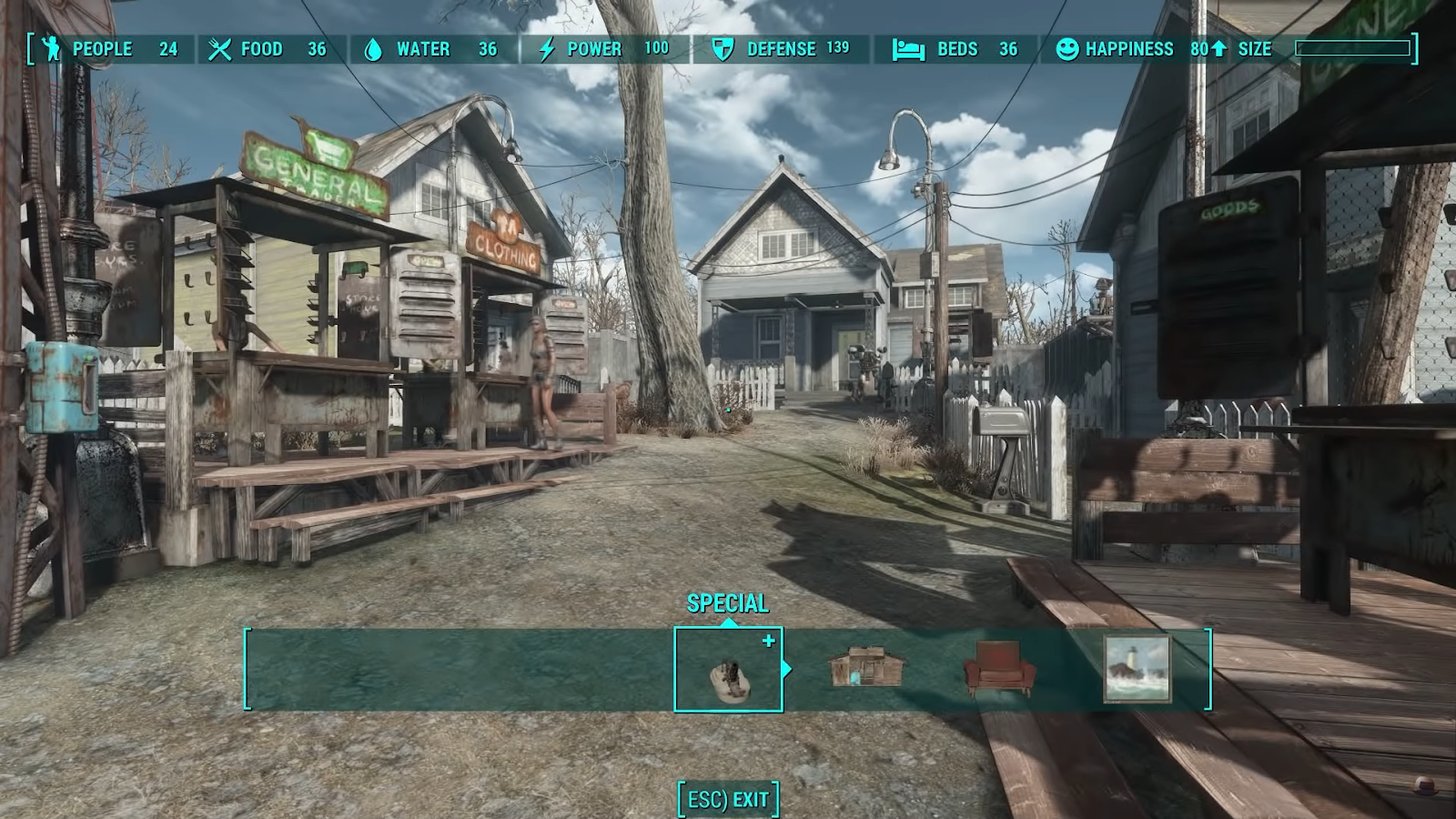
- Head to your settlement and hold the V button on your keyboard to open the workshop menu. You’ll then have the option to build any structures of items available, but you’ll also have a menu that will inform you of the current state of your settlement. For instance, whether they have enough food, water, and power, what their happiness is, and such.

- Approach any unassigned worker, and you’ll be able to recognize them easily as they will most likely be sitting down or walking around.
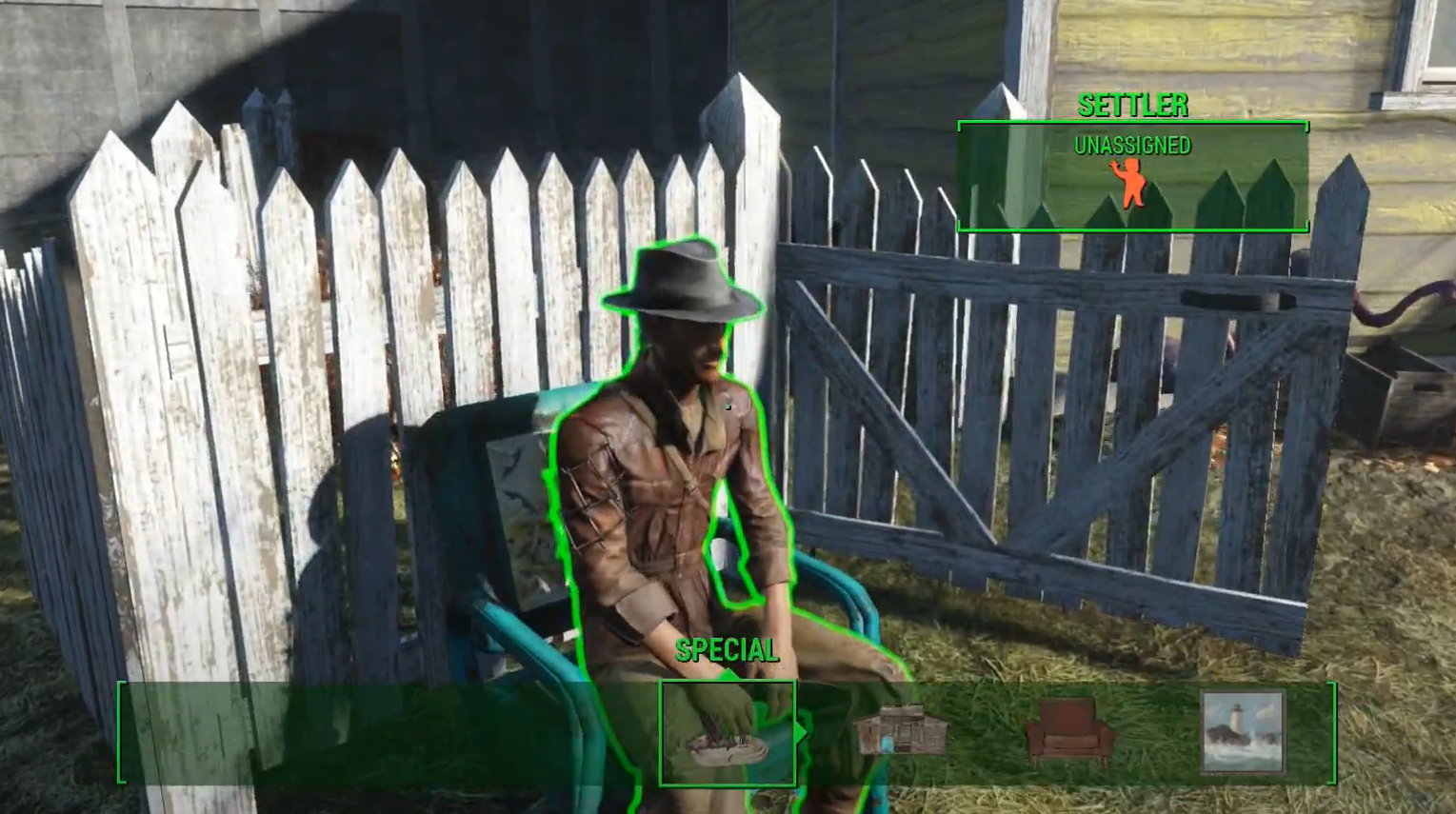
- Press “E” on your keyboard to command the unassigned worker.
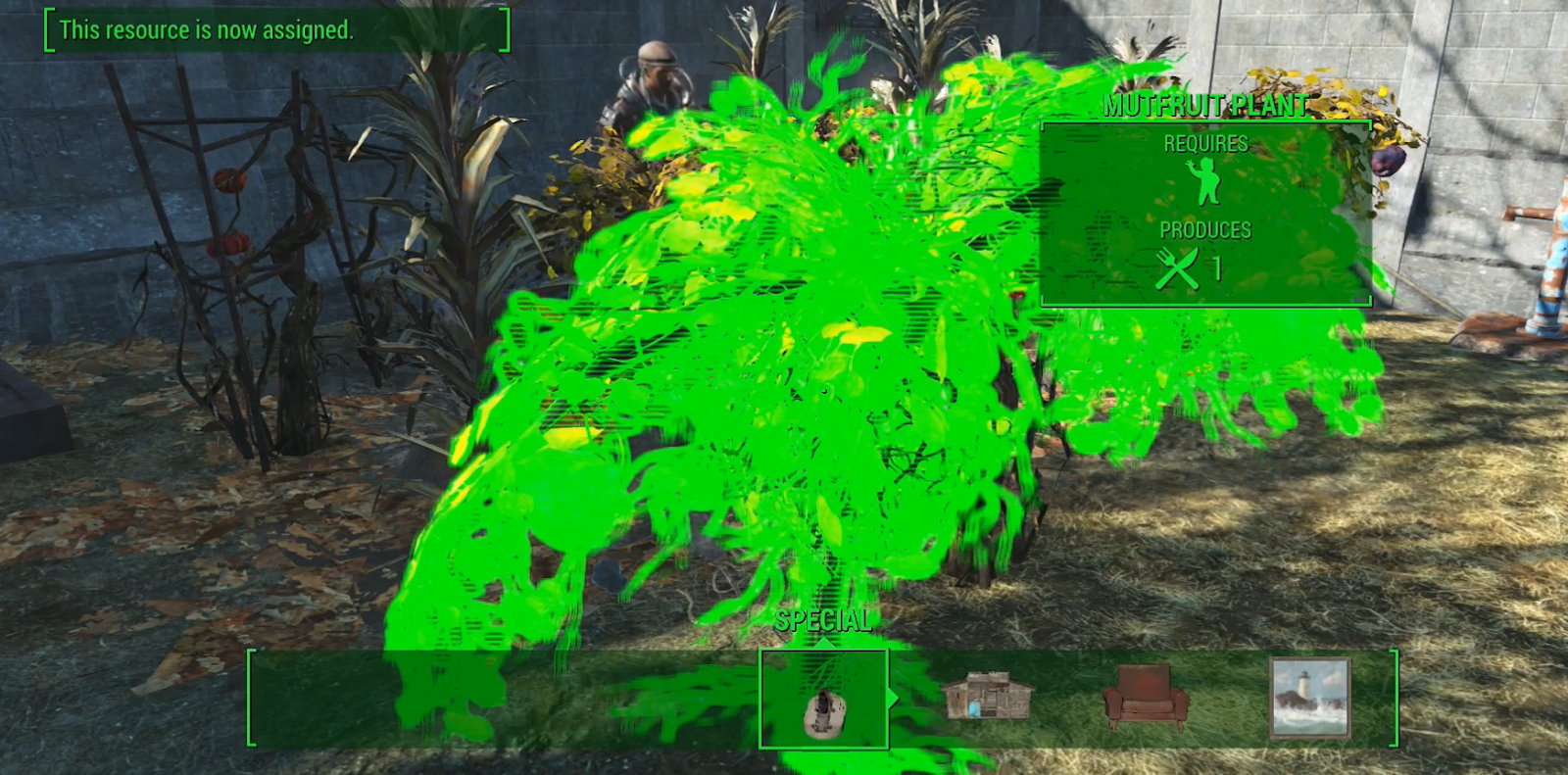
- Head to the specific structure or an item that requires a worker. Once you approach it, you’ll notice the red icon that says “Requires,” which indicates that there’s no one assigned to it.

- Assign the worker by pressing E once you’re close to the structure. You’ll notice a sound and a popup in the upper left corner, which means that a worker will approach the structure or an item and start working on it. Once you point to the specific post, a previously mentioned red icon will now turn green.
You won’t be able to assign a worker to multiple tasks because they can only do one thing at a time. In addition, some items should be a priority for assigning the workers to them, such as the guard posts (increases defense), crops (increases food), and more.
With the settlement in place, you will also have a steady flow of resources and junk coming your way. While you can focus on other things that may need your attention:
Power Armor Locations in Fallout 4 | Fallout 4: Power Armor Guide | Fallout 4: Bobbleheads Locations Guide – Where Are They?
