

In the land of Mexico, Horizon Festival offers you a ton of things to do. Lots of races, events, expeditions, cars, and much more. The last thing you want is to wake up on the beach without your cars and houses because Forza Horizon 5 didn’t save the game.
Forza Horizon 5 has an autosave feature and doesn’t have the option to save the game manually. The autosave will save your progress automatically very frequently so you don’t have to worry about losing progress.
How to Force an Autosave in Forza Horizon 5
You can force an autosave in Forza Horizon 5 which will save your game progress. This will be especially useful if you encounter a lot of crashes in the game that results in progress rollback. Look at this as a makeshift manual save solution.
Before you force a save make sure that you are out of any races and are just vibing in the free roam. Otherwise, the autosave won’t trigger.
To force an autosave in Forza Horizon 5:
- Head to your settings and change anything you want. Then save the changes and return back to the free roam
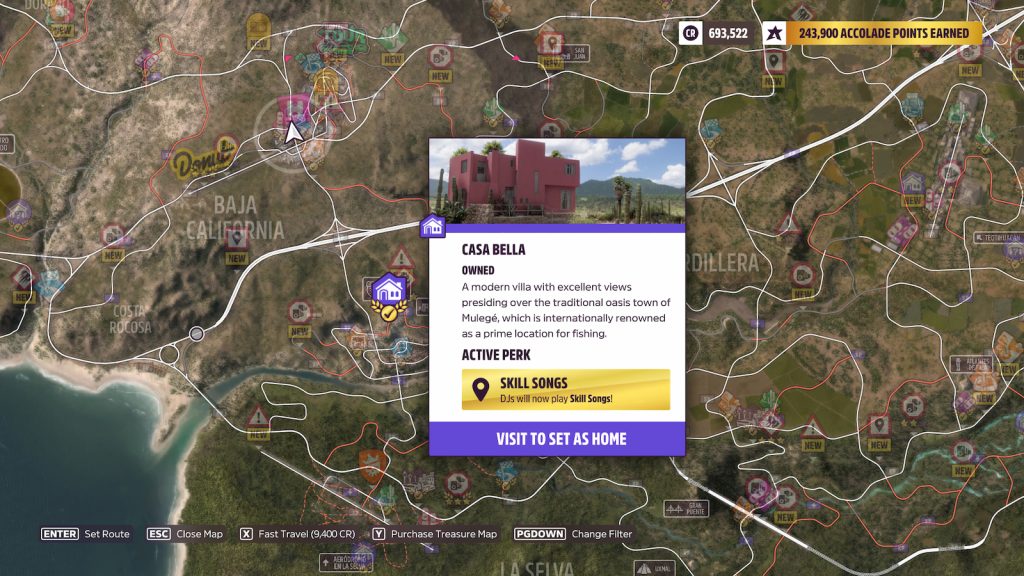
- Use fast travel to teleport to either a Festival site or any house you own
- Whenever you finish the race, the game will autosave, use that to wrap up your gaming session and save your progress
Mind you, there is no autosave icon in the game so you won’t actually see if the autosave is completed or not. Just wait for a few seconds and then close the game. It should be enough for the save to complete.
Moreover, we would highly recommend you exit the game using the “Exit to Desktop” button in the menu rather than forcingly closing it regardless of the platform you are using.
Issues with Xbox Cloud Saves
If you lost a significant amount of progress ranging from a few hours to a few days, it is likely an issue with the Xbox Cloud Save system. This has happened before and players lost a lot of progress on their saves.
The best way to address that is by contacting Forza Support and explaining the issue there. Also, keep up with the official Forza Horizon 5 social media channels like Twitter to keep yourself updated and informed.
