

No Man’s Sky is about exploring countless planets in endless space. But at the end of the day, it will be your base you will be coming back to. No matter where, a base will not only be an aesthetic home but also allow you to build more advanced structures in No Man’s Sky to develop quicker.
Choose the Right Location
The first step is to find the right location for your base. Start by choosing a planet in the right system and at the same time think about what this base is for. Is it for harvesting one specific resource or will it be your home for the nearest future?
Here are a few things to consider when choosing a planet:
- System Economy: Higher economy means more goods on the market and ships of higher class
- System Conflict: Higher conflict means more possible space battles
- Planet Type: This will define the level of extreme weather conditions
- Planet Resources: See if your planet has the resources you need
- Sentinel Level: The prettiest planets often have aggressive sentinels. For the most part, you don’t want to settle there as they get super annoying.
Once you find a suitable planet, find a flat space to build a base. Do not build your base into the terrain, it tends to magically reappear in No Man’s Sky. And you don’t really want to waste time cleaning your base from random rocks.

Build a Base Computer
Now that you have a location for your base, construct a Base Computer using 30 Chromatic Metal. It is required to start building base structures and multiple components. It will also add a location that you can teleport to from other teleports (even if your base doesn’t have one).

To build a base computer:
- Press “Z” to open the build menu
- In “Deployable Technology” select the “Base Computer”
- Place it on the ground and interact with it
- Select “Claim Site”
Make sure there are no other bases nearby. If you are building close to your friend allow for at least a 300u-500u distance between base computers.
After a brief scan, the computer will claim a site of 300u for your base. Don’t worry though as you can expand your base for up to 1000u by simply building at the border of the base.
Build Base Components
Now comes the fun part, actually building your new base in No Man’s Sky. There are a ton of things you can build but we will go over the basic and most necessary base components you will need on a new planet.
Refiner
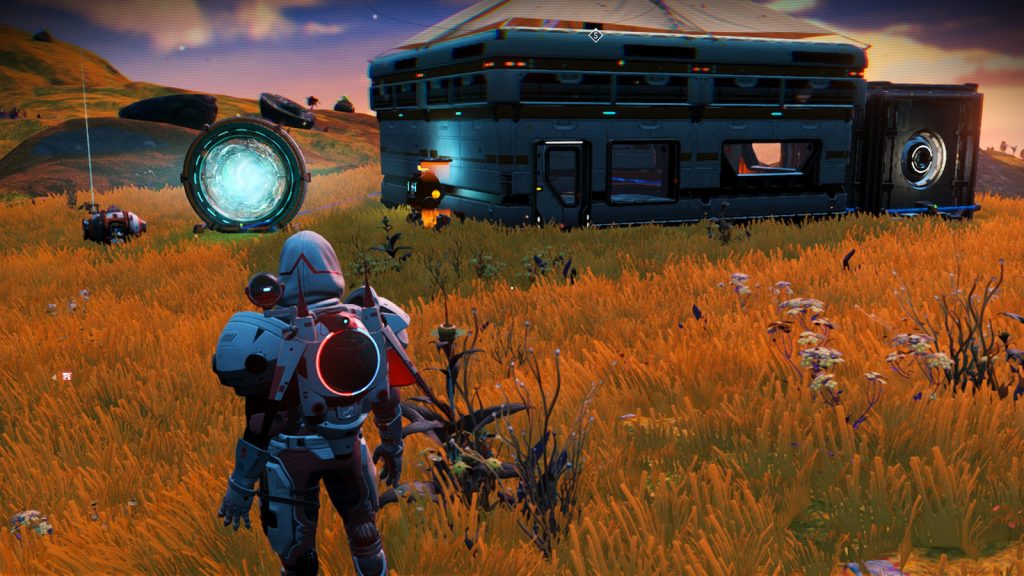
A refiner will be needed for crafting more advanced resources like Pure Ferrite (which is a go-to resource for walls, floors, roofs, etc.). Make sure you have a least one refiner. Whether it is a portable in your backpack or any of the placeable ones.
Housing
The most basic housing is needed in case of bad weather. Unless you have a few S-Class hazard protection modules, walking during a storm won’t be fun. And you might want to have an aesthetic house just for the sake of having an aesthetic house. With a few chairs, sofas, and maybe even a fireplace.
Build at least 4 floor panels, surround them with walls, one wall with a door, and put the roof on top. This should be enough to keep you safe at the start.
Solar Panels and Batteries
Regular generators are very inefficient, and you will need energy to power different parts of your base even if it’s made out of wood. A great solution is to use solar panels along with batteries. They will give you an effortless bunch of electricity and keep your base online 24/7.
Place a few solar panels on flat ground (where the sun shines) and connect them to the battery using electrical wiring. Then you can connect the battery to the base parts that need power. If you notice that you run out of power during the night, add a few more solar panels and half as many batteries.
Teleport
Although you can teleport to the base computer you can’t go back if you don’t have a teleport on the base. With the teleport, you can travel between multiple bases and space stations without wasting time and fuel on flying.
Save Beacon
Have a save beacon to occasionally save your game and avoid losing your progress. There’s no saying when you might get kicked by a dinosaur or the game will just accidentally crash. So make sure to save every 15-30 minutes.
Vaults
Finally, you may want to build a vault or two. You will need to store materials at some point and having a least one vault is a must. And since vaults work like Ender Chests from Minecraft, you will be able to access them anywhere.
How to Unlock New Base Parts
If you want to unlock new base components and structures (and there are a ton of them) you can do that by spending Salvaged Data at the Construction Research Unit or Space Anomaly.

Note that the Research Unit only offers a limited number of base components. For the full list of things, you can unlock and build, head to the Space Anomaly.
Rename, Upload, or Delete Your Base
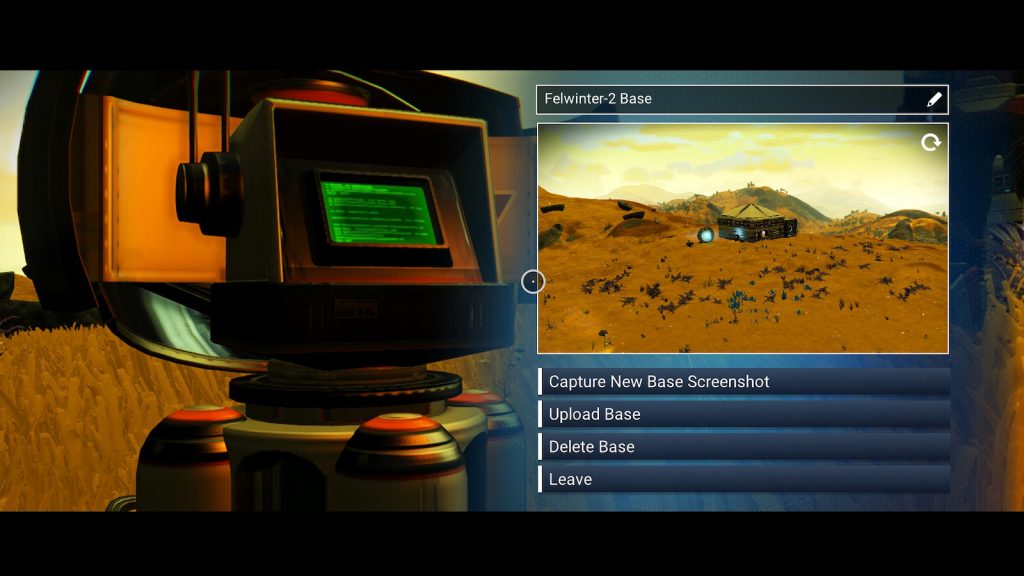
When you are done with building, you can come up to the base computer to rename, upload, or delete your base.
- Renaming will come in handy when you have multiple bases for different purposes
- Uploading will upload the copy of the base to the public server allowing others to see it
- Deleting will remove all the structures and free the site to be claimed again
Important: Deleting the base using the base computer will destroy all the structures you placed without giving you resources back. So if you want to get rid of the base, remove all the placed parts first, and only then remove the base computer.
