

Microsoft has added two new accessibility features to the Xbox Party Chat for both Xbox Series X and Series S. As of today, Xbox Insiders Programme members can test out the new speech transcription and synthesis of text to speech options.
What are the new features?
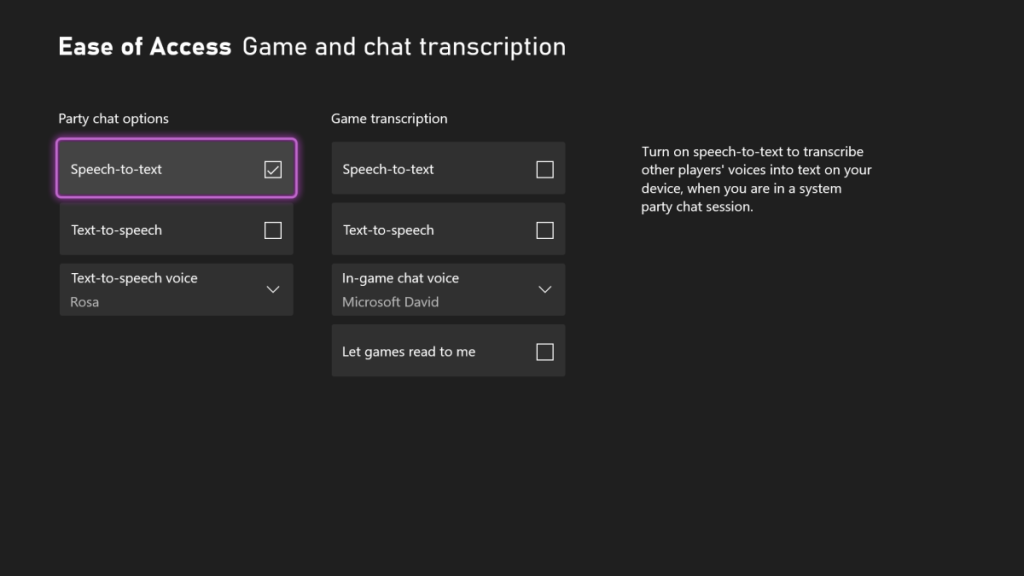
Speech transcription, more commonly known as speech-to-text, will automatically transcribe what other party members say into text, which will be displayed in an adjustible overlay on top of whatever game you’re playing.
Synthesis of text to speech works goes the other way – whatever is written in the Party Text Chat will be read out loud by a customizable, synthetic voice to all other party members.
This is great news for all players who have hearing and/or speech impairments, or just choose not to speak with other players. According to Xbox’s Program Manager, both of these features “are also generally useful for detecting microphone problems or distinguishing game audio from people in the party talking!”
How to turn on the new accessibility features
Both of these features can be turned on by going to Settings -> Ease of Access -> Game, and turning them on. If you’re in a party, you can adjust them by going to Options -> Configure Ease of Access.
This is the latest step towards Microsoft’s goal of making the Xbox “the most inclusive gaming platform”. You can find more about the Xbox’s accessibility features over at its official page.
