

Any gamer has that one nickname they want to change. However, Fall Guys does not have a way to change usernames in-game. Even though players play Fall Guys on many platforms including Steam, PS4/5, and Xbox, they will only be able to change their names through Epic.
Attempting to change Fall Guys usernames on most consoles will redirect players to the Epic Games Store.
How to Change Fall Guys Name in Epic
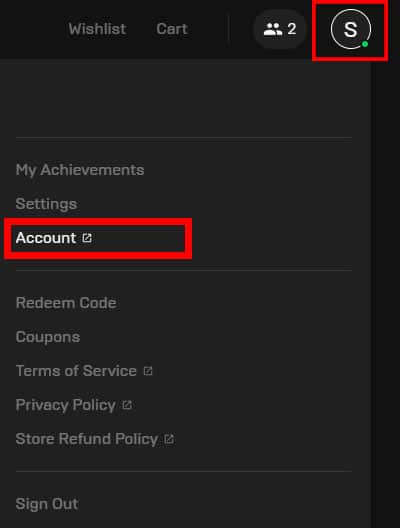
In order to change a player’s Fall Guys name through the Epic Games Store, players will need to access their account on any browser. This can be done by opening the Epic Games Store and selecting the account option under the player’s avatar icon.
Players can also manually search for the Epic Games Store in the browser of their choice. Fall Guys players who play on consoles will find the manual method the easiest way to change their name.
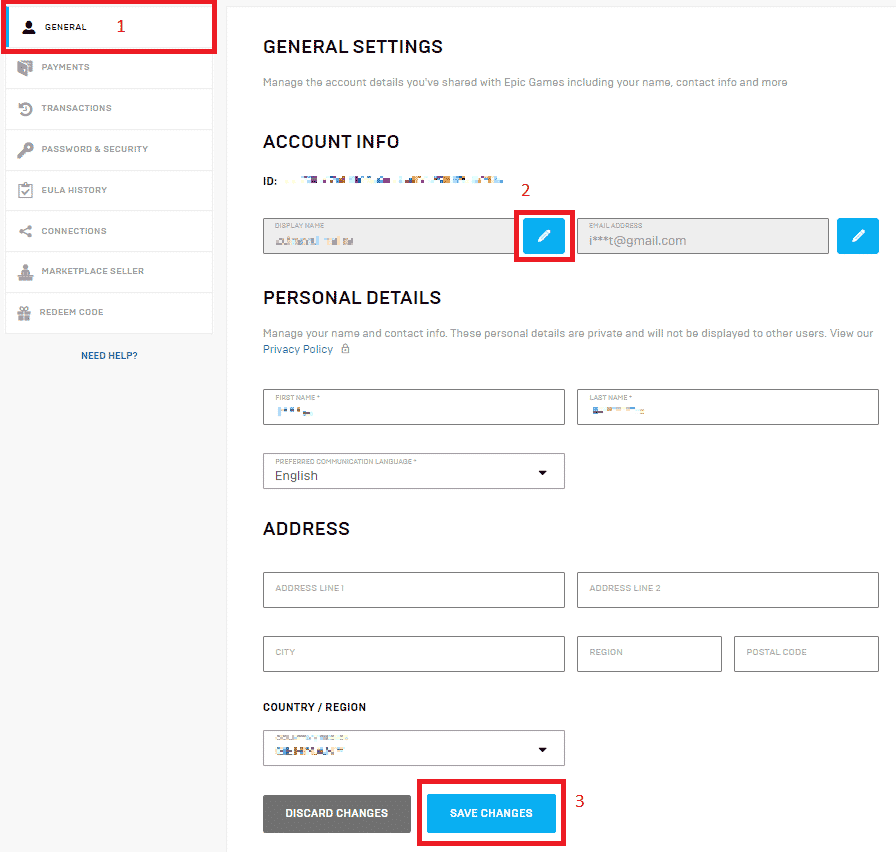
Once the player logs into their account, they will then need to navigate to their account overview page. Players can access this page by clicking on the general tab on the left of the screen.
On the account overview page, players will see their existing username and other personal details. If players click on the blue pencil icon next to their username, a popup will appear. The popup will ask players to input the new username twice, as confirmation.
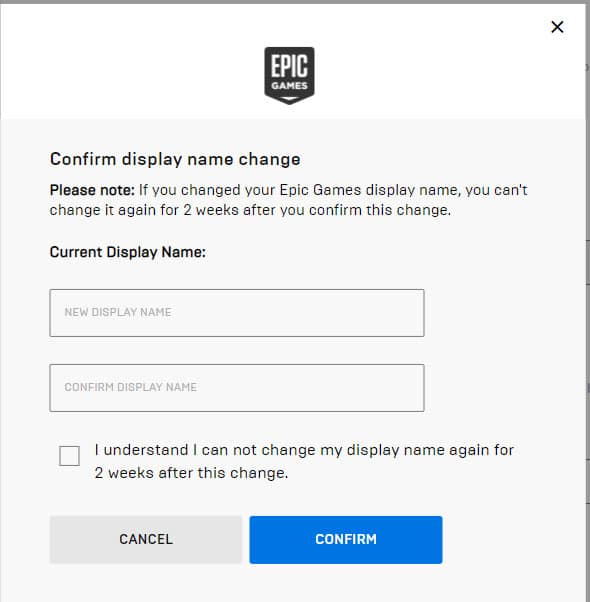
This change will take effect in Fall Guys and all other games in the player’s Epic Games library. Players will only be able to change their username again after two weeks.
Fall guys players who use this method, do not have to worry about the change affecting their other Playstation, Xbox, and Nintendo Switch account names. This change will only impact games that connect to the player’s Epic Games account.
Once you are all set with your new name, it’s time to start playing, and here are some mechanics that you will need to know:
